When "Group Panel" is selected in the "Type" field;
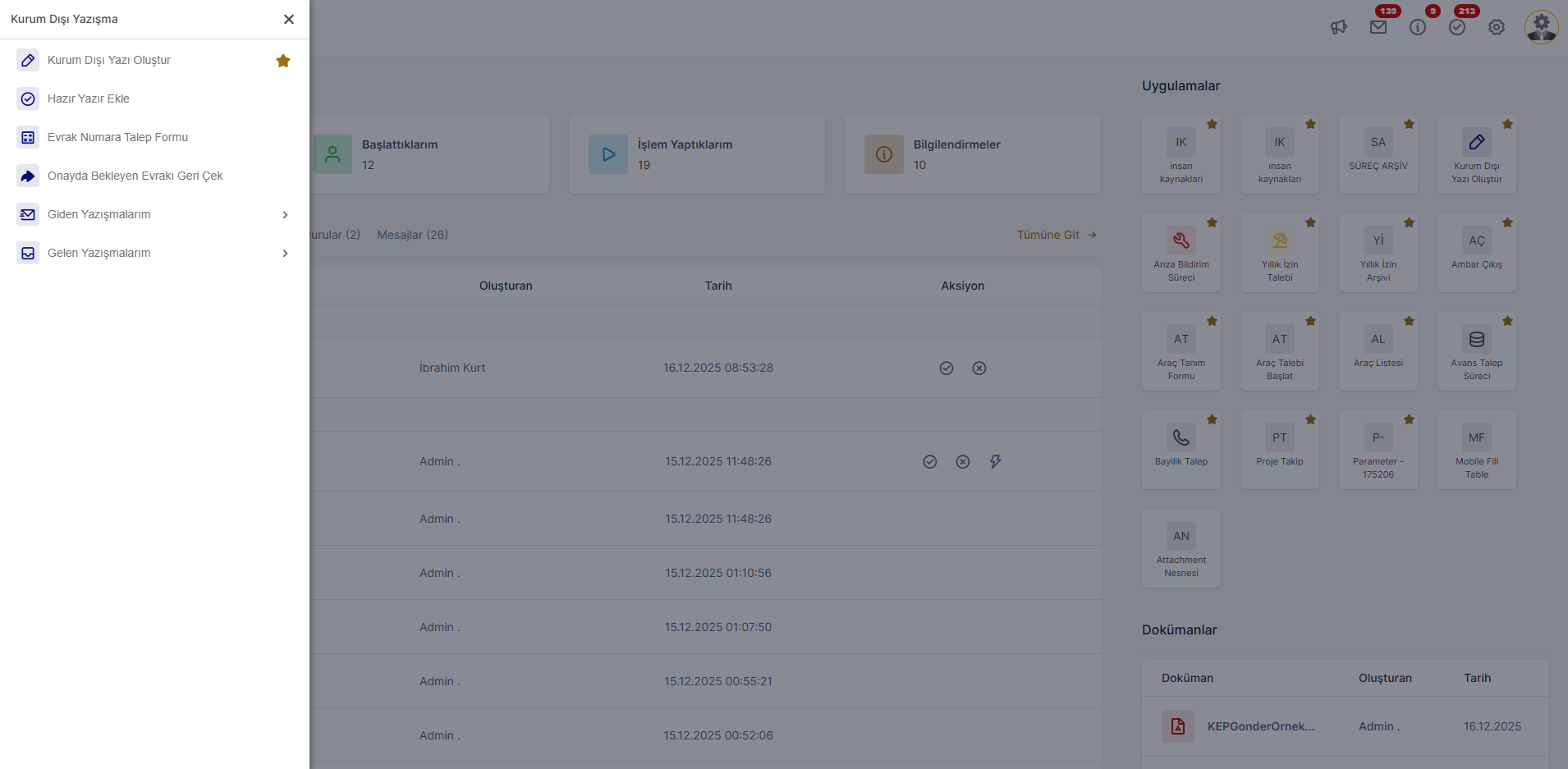
A node clicked in the left menu opens a new panel above the menu panel and It is the node type where node breakdowns are shown on the new panel.
Menu nodes created in the form of breakdowns one after the other, the left menu used by end users It is seen in a diffractive way in its structure.
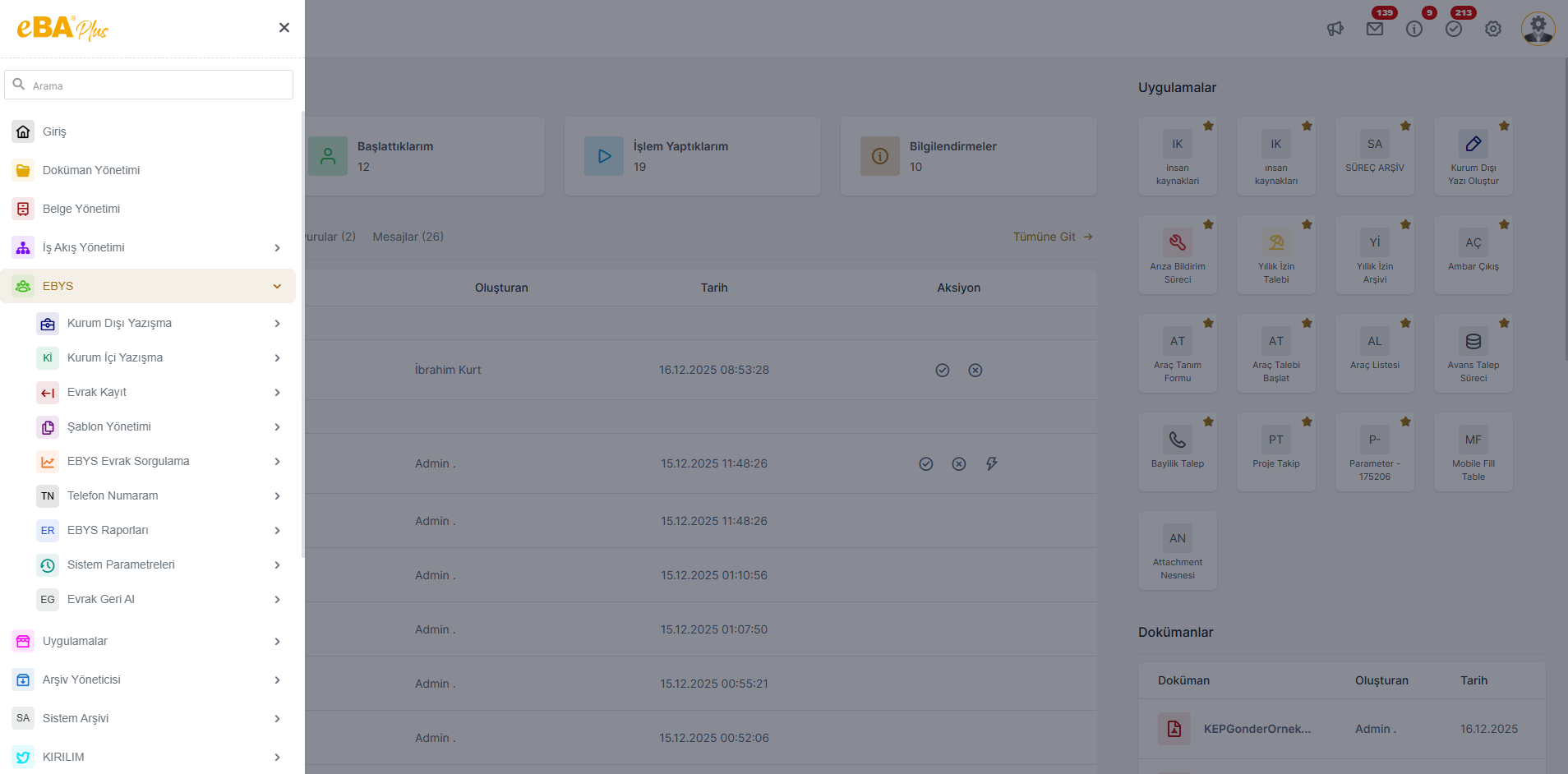
If these breakdowns contain too many sub-breakdowns, instead of opening one under the other, as a new panel. It creates a simpler and easier to understand visual to show. To provide such a structure, the relevant breakdown type can be set as "Group Panel".
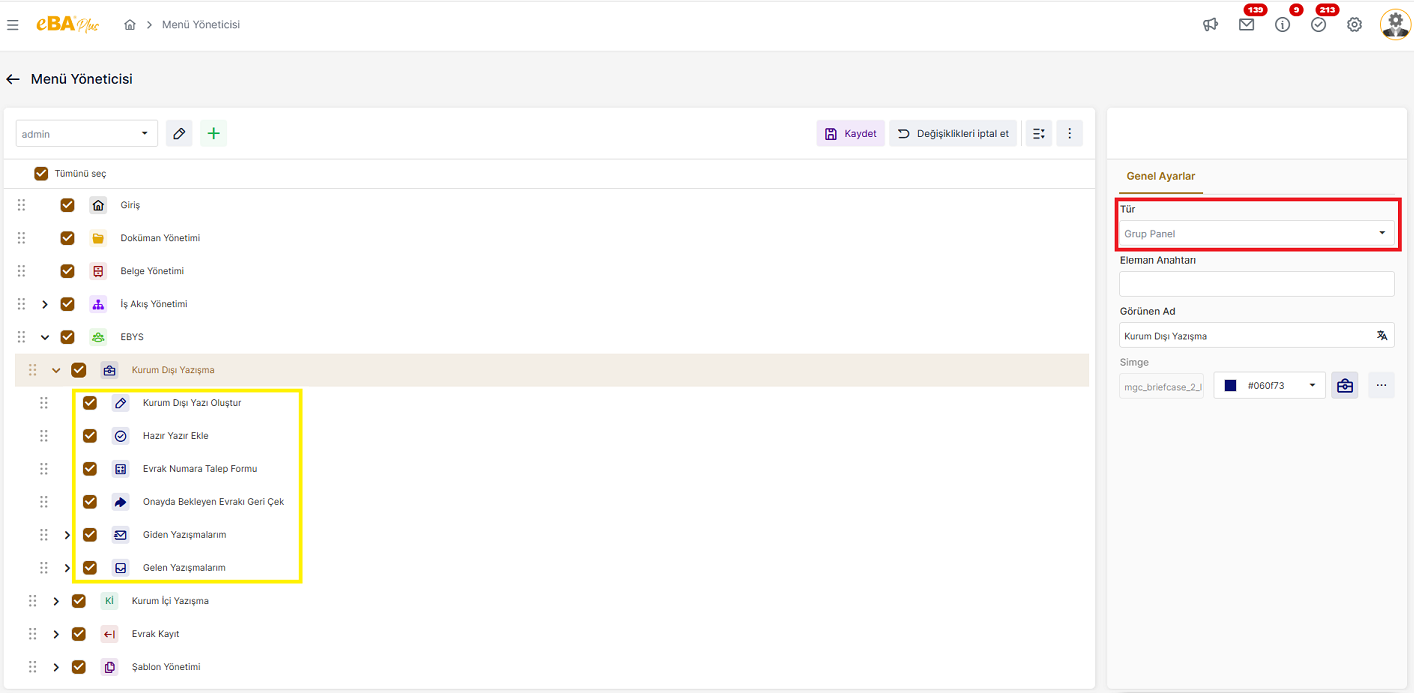
When a node created in the Group Panel type is clicked, other nodes under that node It will come in a new menu panel.
When the "Group Panel" option is selected from the Type field, in the General Settings panel, select " Display Name " and The "Icon** " fields will be enterable.
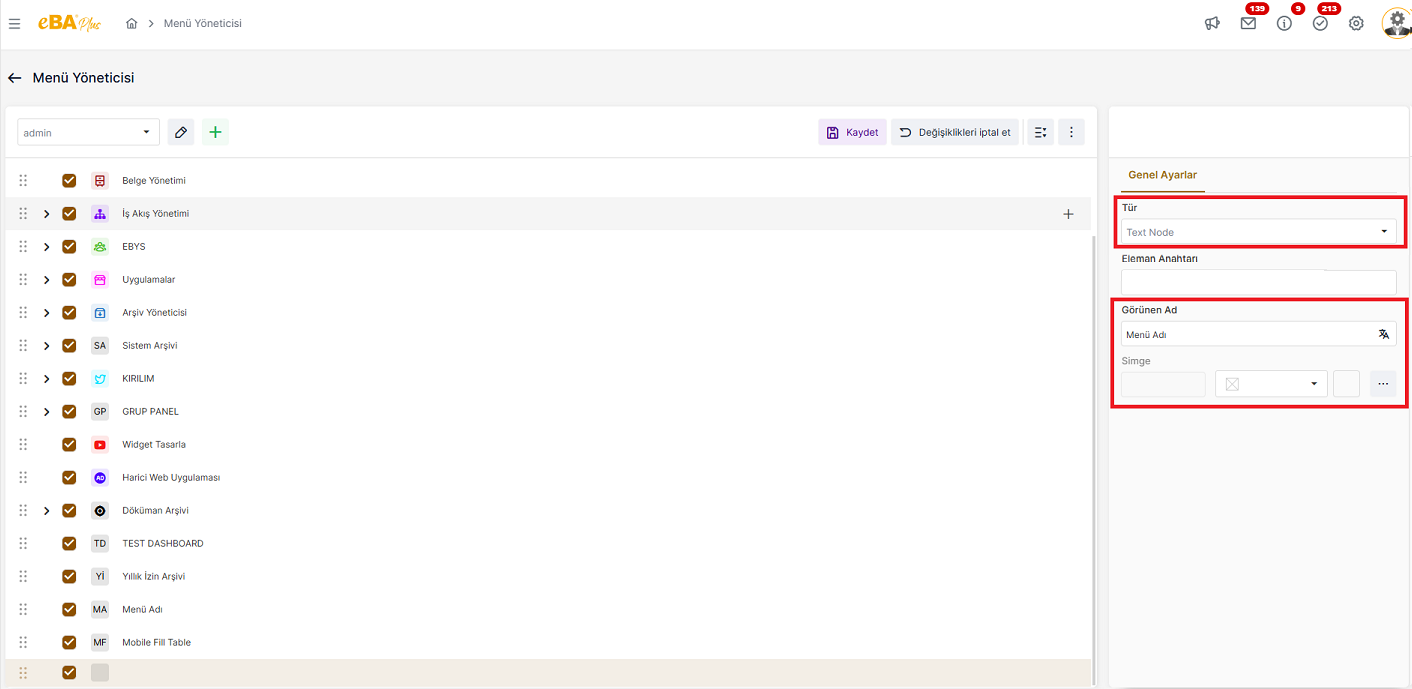
Display Name : In this field, enter the name with which the relevant node is desired to appear in the left menu. is written. Multi-language support is available in this area. Menu names in the language in which the system is entered. If you want it to be listed with its equivalent, click on the ML icon next to this field.
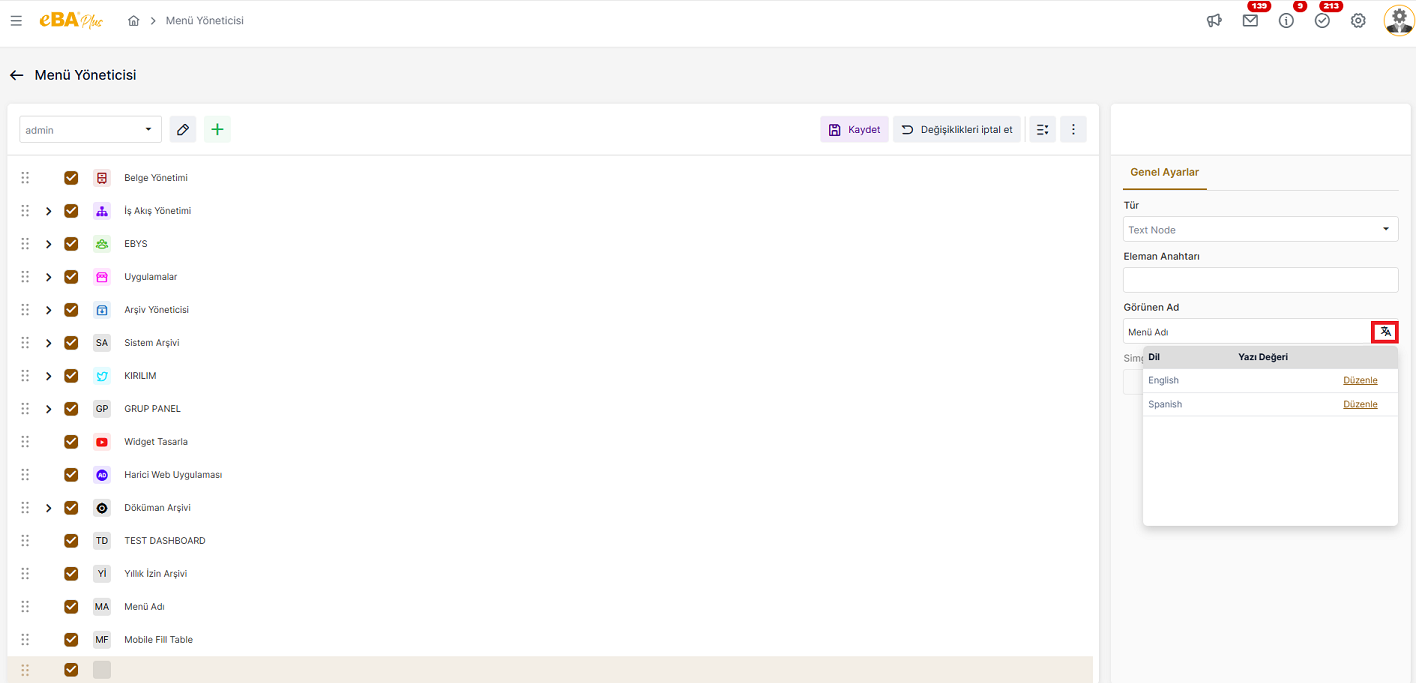
Clicking on the ML icon lists all the languages defined in the system. Menu names, input If it is desired to appear in the language in which it is made, the text written in the Display Name section from this field is in the other language. equivalents must also be entered and recorded.
Icon : If there is an icon that is desired to appear in the relevant knot, it can be selected from this field. When the browse button is clicked for icon selection, the current template belongs to the library it offers. A window opens with the icons listed. From here, the desired icon selection can be made. Icon selection for nodes that are not done, in the node box, the initials of the text typed in the "Display Name" field is shown.
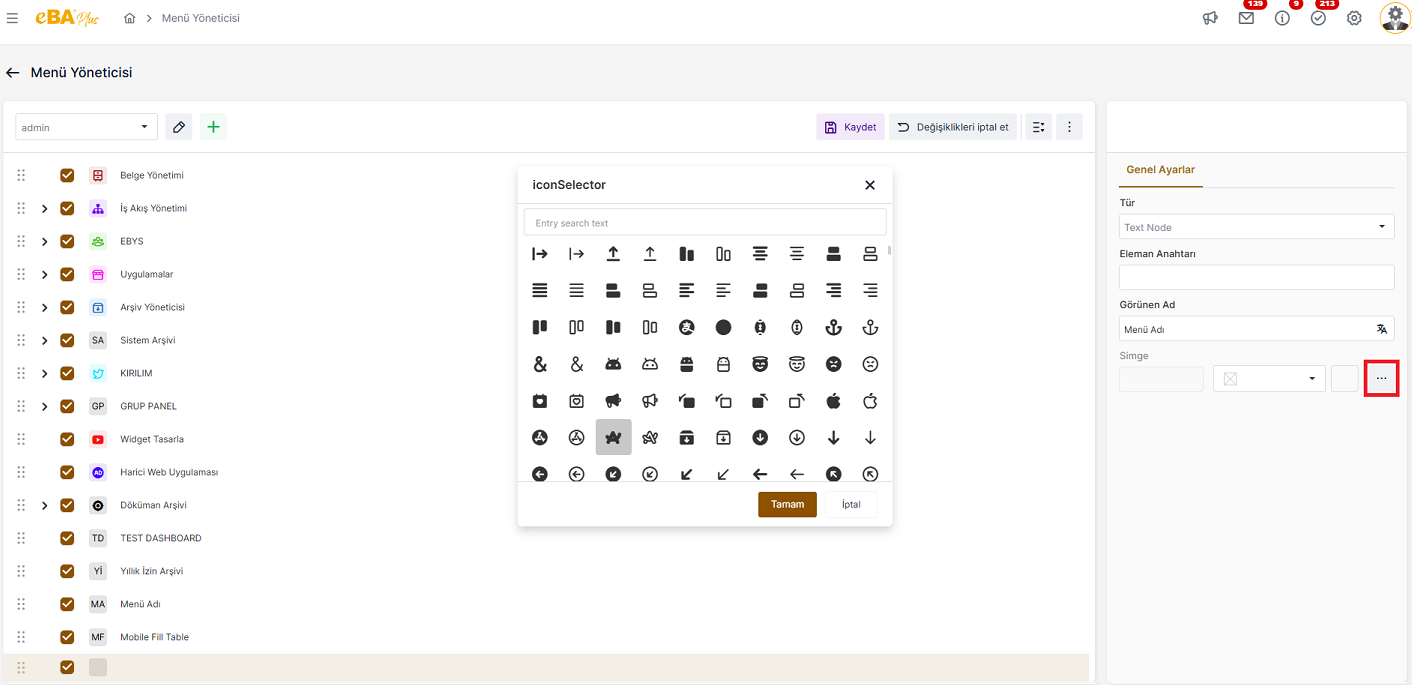
In order to color the selected icon with the desired color, click the color selection palette can be used.